

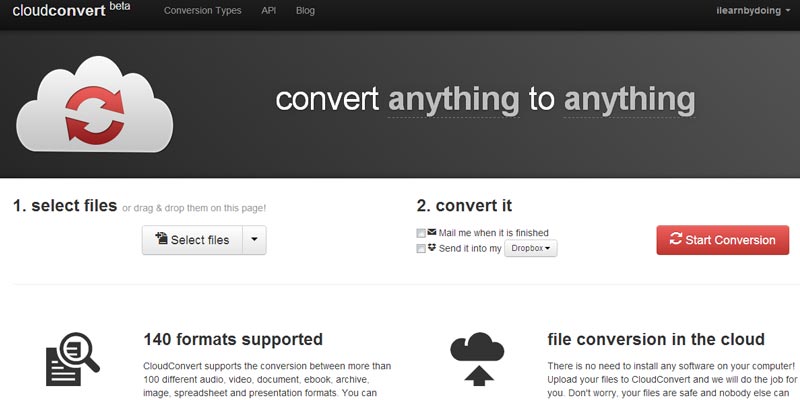
Cloudcovert.org is an online file conversion tool where you can convert any file format to any file format online.

How to covert file on cloudconvert.org?
Currently cloudconvert.org is in beta version and supporting 140 file formats that are categorized in archive, audio, cad, document, ebook, image, presenation, spreadsheet. To convert file you have to upload your file either from your local computer, google drive or dropbox, once file is uploaded cloudconvert.org will automatically give you most relevant file format pertaining to uploaded file, once you selection is done click on ‘Start Convert’ button, cloudconvert.org will start converting your document, once conversion done you can download the file or can perform other task too i.e. Convert input file again, convert out file again, get QR code or send feedback. Similarly before click on ‘Start Convert’ button if you wish, you can check out mail option to receive output on email or can send output to your Dropbox folder.
Cloudconvert.org is a free service but there is limitation of its usages, As of now guest member can convert files up to 5 in a day and registered member can convert files up to 25, The bulk conversion is yet to come.
Registered users can see their conversion history and usages details and other statistics in their account dashboard.
Cloudconvert.org also does offers flexible APIs so any web developer can avail this file conversion functionality in their web application or web site. From simple to super user or technical web developers this website is very helpful to convert almost all kind of file specially daily use files like pdf to word, word to pdf etc.
Its supported file formats are so vast that it has covered almost all kind of file types specially ebooks, now converting ebooks will not be a big problem neither even audio and nor video for mobile devices. Cloudconvert.org is rocking and significantly converting any file format to any file format on go.
[button color=”red” size=”small” link=”https://cloudconvert.org/” target=”blank” ]cloudconvert.org[/button]