
WebAnaya - Web Development & Digital Marketing Agency
Back to Blog
How To
WebAnaya TeamWebAnaya Team

How to change sleep mode timings in Windows 7

How to change sleep mode timings in Windows 7

In many cases you may want to change sleep mode of your windows 7 running pc or laptop i.e. Automatic system failure or BSOD (Blue screen of death). To change the sleep mode in Windows 7 follow below steps.

Step 1. Open Control Panel from windows 7 start icon

Step 2. Go to search bar and type “power” or jump directly to Power Options

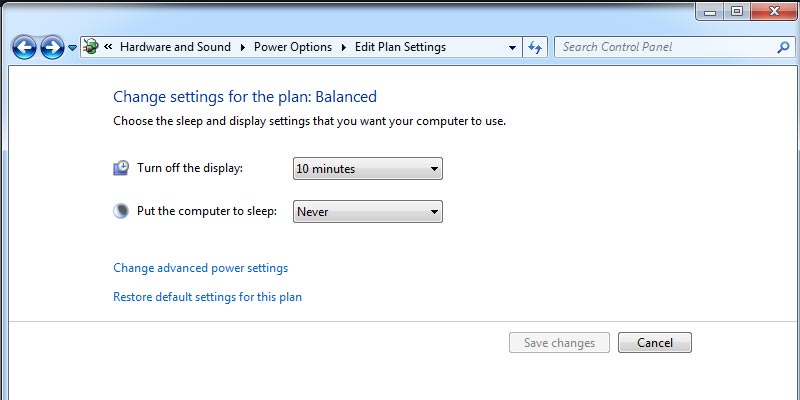
Step 3. Go to edit power plan and set the time to turn off display and sleep of your computer.

Step 4. To disable sleep mode select never from put the computer to sleep drop down options.

Related Posts

How to install Ghost on Zpanel with multiple instances?

Ghost is an incredibly stand alone modern designed just for blogging platform, while using it gives you pleasure, installing it for beginner is a little hectic. I am assuming if you are reading this relevant post then you must have a VPS/Dedicated ready server or if you are testing on local virtual machine then your […]

Replacing table prefix
January 11, 2014WebAnaya TeamHow To

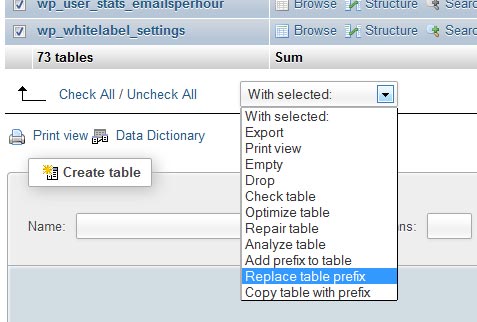
Renaming the default WordPress tables prefix is one of the very important step to secure your WordPress from hacker. There are two methods  to alter or rename WordPress tables prefix: First Method :- To replace, rename or alter table prefix via Phpmyadmin Application table structure options. 1. Access your phypmyadmin2. Select your database3. In table structure […]

See old notifications in Android 4.3 and most recent version of Android

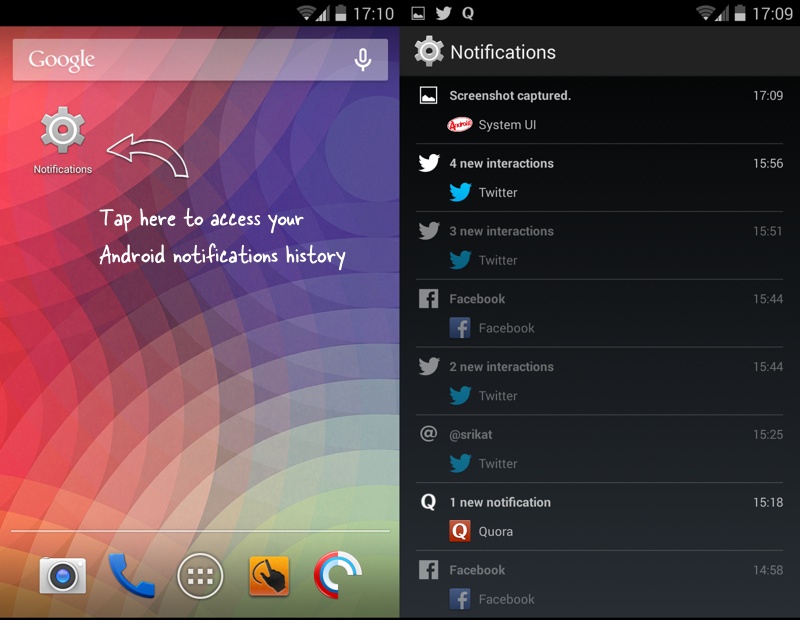
Notification feature is one of the key feature of Android running smartphones this give you an instant update from the apps on real time, to see new notification you can slide down the notification bar to see all new notifications and quickly jump onto detail of notification by tapping on a particular notification message. The […]