

A Facebook page is your mini website. It is your social and corporate portfolio of your personal image, business or organization there are millions of pages on Facebook each day they publish lots of information and content, these content in form of image, audio, video or text are your Facebook page owner property and serve as a news feed for page followers these page news feed are highly informative and keep its fan followers up to date with latest news pertaining to concerned Facebook page.

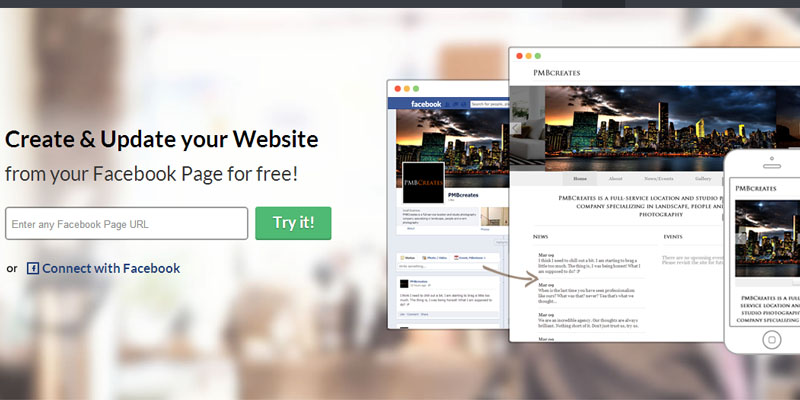
Pagevamp.com is offering you a service that will turn your Facebook page into website. It uses your Facebook page content to finalize your website layout like Facebook cover page and all previously used cover images as slideshow, Page description as about us, Multimedia content like images, audios or videos takes into gallery, event in event section and for news and updates it utilize news feed (only text based update) of your page and organized it date wise.
How to create free website from Facebook page with Pagevamp? :
Go to www.pagevamp.com and sign up for a free account. To create a website from Facebook page all you need to do is to provide Facebook page url that you manage with admin right then it will ask permission to let it manage the intended Facebook page and as soon as you grant Pagevamp access to your Facebook page it will start fetching out your page content and turn it into beautiful web site. Once website is created you can do some sort of customization task in free service plan and thereafter can turn it on and make it live your newly website on pagevamp.com url i.e. http://www.pagevamp.com/page/ (your Facebook page name).
If you want to make your newly Facebook page generated website live on custom domain i.e. www.yourwebsitename.com then you have to go with pagevamp.com pro plan which starts from $12/month.
Below is the screenshot of the web page that I created with Pagevamp.com

Access http://www.pagevamp.com/page/w3update to check its live version.